Stays out of the way
One pill at the bottom of the screen while you talk, and nothing else. No window opens, no focus is stolen, no modal interrupts you.
Dictation for macOS · MIT licensed · bring your own key
Hold ⌥ ⌃, say the thing, let go. Apple Speech transcribes it on your Mac, an AI pass turns the rambling into a sentence, and the text lands at your cursor in whatever app you were already in.
macOS 26+ · Apple Silicon · open the DMG, drag to Applications
um so can you uh check whether the the cache is warm before we ship
Can you check whether the cache is warm before we ship?
only when the text needs itHow it works
Everything on the hot path is Rust — the hotkey tap, audio capture, the voice detector, the state machine. The interface only draws what already happened.
Hold Option+Ctrl anywhere in macOS. A small pill fades in at the bottom of the screen. Nothing takes focus, nothing covers what you were reading.
Audio is captured through CoreAudio and gated by a voice activity detector, so the silence at either end never reaches the model.
Transcription runs on your Mac through Apple's SpeechAnalyzer. When it comes back unsure, the audio is re-run through local Whisper with Metal acceleration. Either way it does not leave the machine — the fallback model downloads once, on first use.
The raw transcript goes through a rewrite pass that drops fillers, fixes grammar, and returns a sentence you would have typed. On by default, not a paid add-on.
The finished text is pasted into whatever app had focus — editor, terminal, browser, chat. VoxFlow puts the text on the clipboard, sends Cmd+V, and then puts your old clipboard back.
What you get
One pill at the bottom of the screen while you talk, and nothing else. No window opens, no focus is stolen, no modal interrupts you.
VoxFlow targets an 80 ms pill and text inside 1.5 s for a short phrase. The hot path is Rust; the interface only renders.
Apple Speech runs on device, with local Whisper as an automatic confidence fallback. Only eligible transcript text can reach an optional rewrite provider.
Insertion is system-wide, so the same hotkey works in Cursor, VS Code, Slack, Gmail, Notion, Obsidian, browsers, and terminals — anywhere Cmd+V works.
Provider keys are stored through the macOS Keychain, never in a plaintext settings file. Local history is a SQLite file you own.
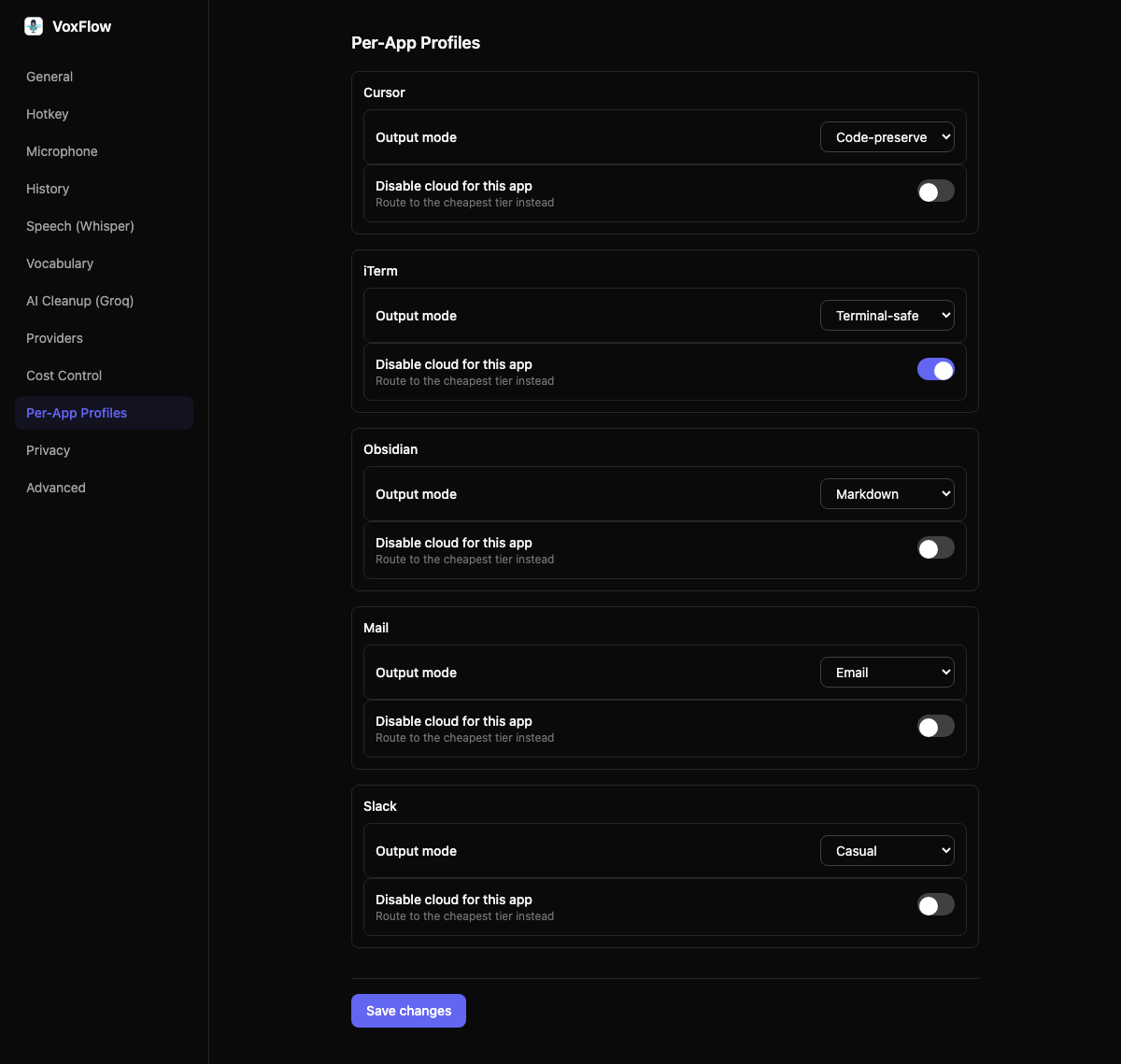
Per-app profiles pick the output mode for whatever has focus — Markdown in Obsidian, Terminal-safe in iTerm, Code-preserve in Cursor, Email in Mail.
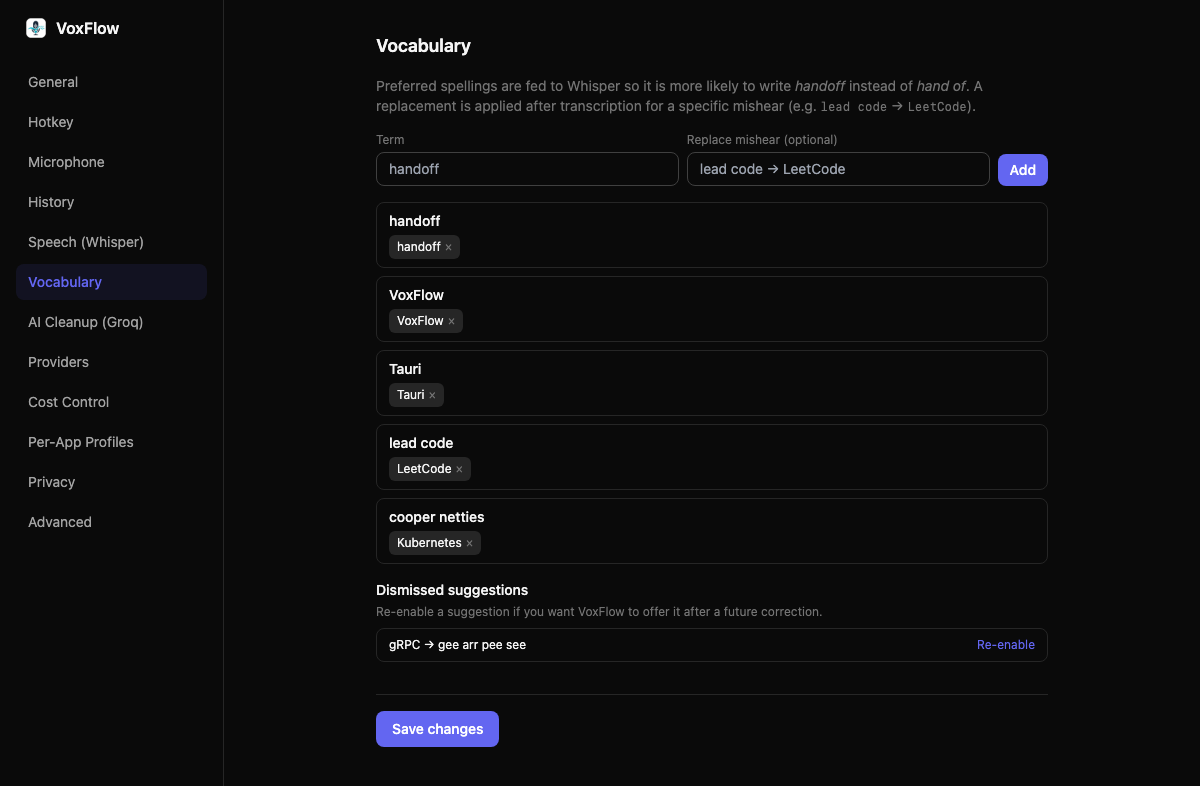
Add preferred spellings and VoxFlow biases both speech engines toward them, so it writes handoff instead of hand of. Fix a word by hand and it offers to remember it.
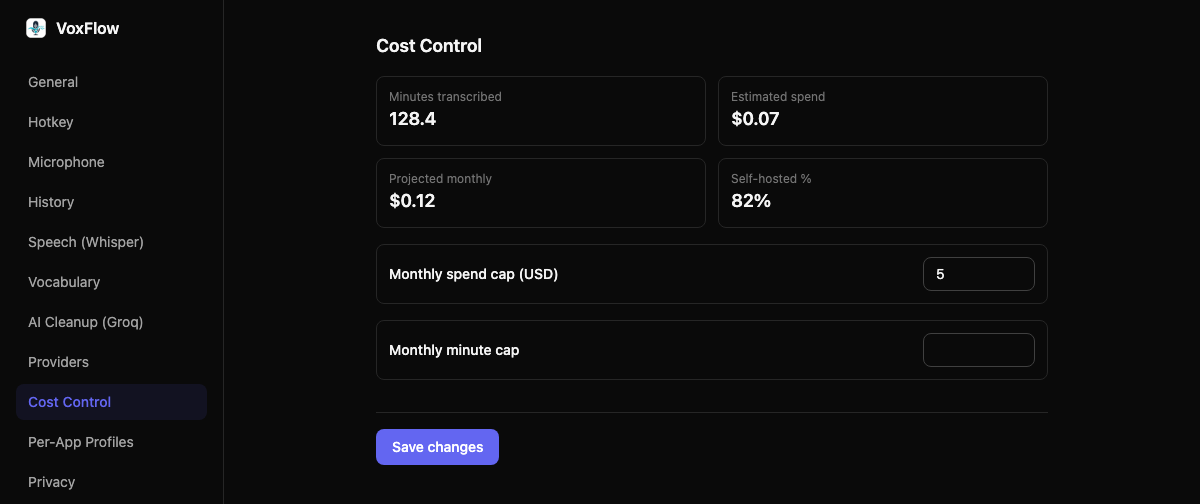
Hybrid routing keeps short, clean audio on the cheap model and sends anything long or noisy to the accurate one, then drops to the cheap tier once you hit your cap.
VoxFlow tracks what each dictation costs, projects the month, and warns you at 50, 80, and 100 percent of a cap you set.
Inside the app
VoxFlow is one pill while you talk. Everything else lives in a settings window you open when you need it, and not before.
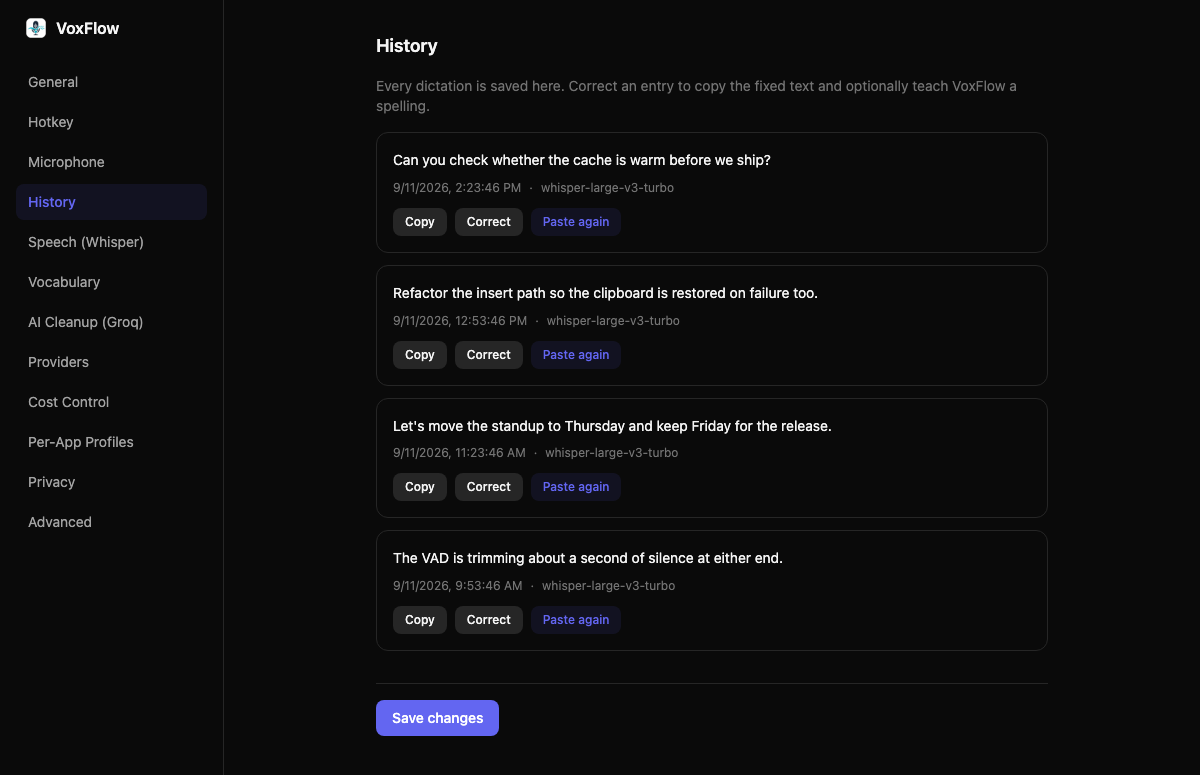
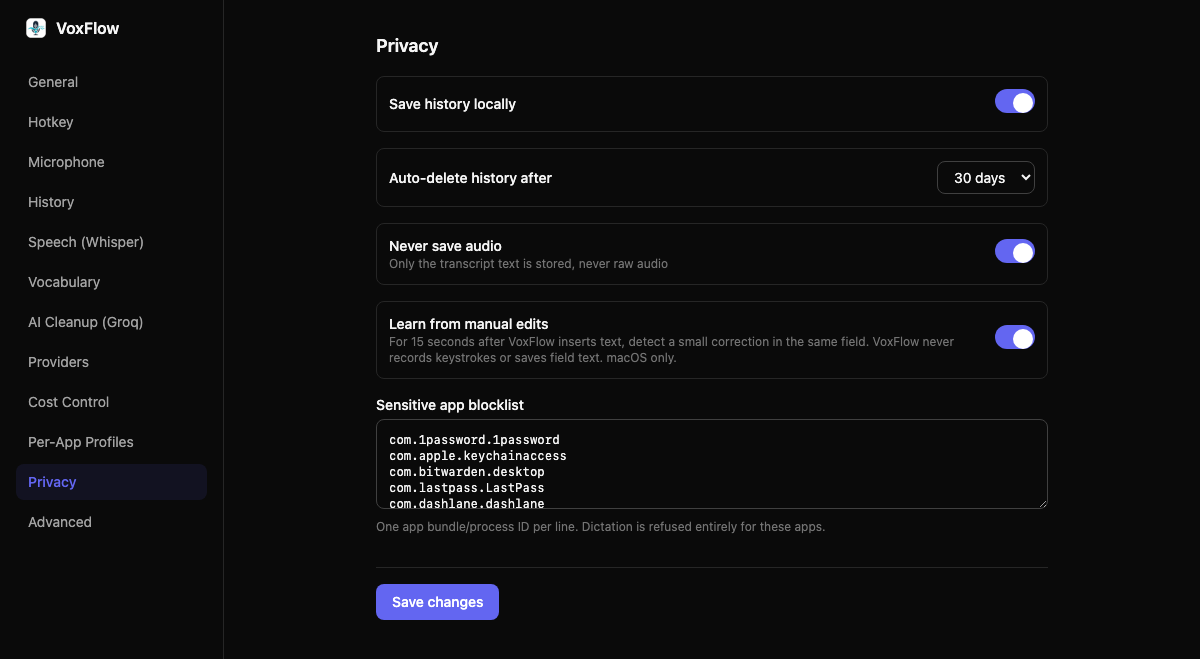
Bring your own key
Transcription is local by default. The rewrite pass talks to any OpenAI-compatible endpoint, so you can route it to Groq, to OpenAI, to a machine in your own house, or turn it off entirely.
$0 per month
Apple Speech with local Whisper fallback, cleanup off. Nothing leaves the machine.
cents per month
On-device transcription, with Groq handling only adaptive cleanup on short text.
$0 marginal
Point VoxFlow at any OpenAI-compatible server you run — a home box over Tailscale, say.
Costs depend on your own provider and usage. VoxFlow tracks each dictation and projects your month so nothing arrives as a surprise. Seeprovider keys for setup.
Privacy
Pricing
Never for the minutes. No account. MIT licensed. You only pay a provider if you turn the rewrite pass on and point it at one.
$0
what VoxFlow charges. Forever.
Local Whisper, the hotkey, the overlay, rewrite, history, as many providers as you want. The whole app.
Only Groq, OpenAI, or a server you run, and only if you send text there. Turn rewrite off and nothing leaves the machine.
Questions
No. Transcription runs on your Mac — Apple’s SpeechAnalyzer first, and local Whisper when it is unsure. The Whisper fallback model is downloaded once, on first use. Only the resulting text can reach a rewrite provider, and you can turn the rewrite pass off to keep everything on device.
No. The app is free. There is no VoxFlow subscription and no account. If you send the rewrite pass to Groq or OpenAI, you pay that provider directly for what you use.
Any app that accepts text. VoxFlow copies the result to the clipboard and sends Cmd+V, then restores what you had on the clipboard before — so it works in editors, terminals, browsers, chat apps, and email. Accessibility permission is what lets VoxFlow watch for the hotkey.
Option+Ctrl by default, held or toggled. It uses a CGEventTap rather than a letter-key global shortcut, so it does not collide with shortcuts inside the app you are using.
macOS 26 or later on Apple Silicon.
Same idea, different economics. VoxFlow is free. Transcription stays on your Mac, keys live in the Keychain, and you pay a provider only if you choose to. Wispr Flow charges a monthly subscription for the minutes.